 Daytiles
How to get 10,000 steps a day
Ten thousand steps sounds like a lot until you see how it breaks into pieces. Here's how to fit it into a normal day, and what the number really means.
The short version
- Find your starting point first, then add 1,000 to 2,000 steps a day each week or two.
- Most of the steps come from one or two walks plus lots of small ones. A 10-minute brisk walk is roughly 1,000 steps or more.
- 10,000 isn't magic. Research finds the benefits climb well before it, so any step up counts.
- Let your phone or watch count for you, so all you do is walk.
Daytiles keeps track of it for you, free on iPhone, iPad and Apple Watch. Get it on the App Store.
Is 10,000 the right number?
The 10,000 figure goes back to a marketing campaign in Japan, not to a study. Research since then has looked at real step counts and health. A large analysis by Paluch and colleagues in The Lancet Public Health in 2022 pooled 15 studies of about 47,000 adults. The more steps people took, the lower their risk of dying during the studies, and the benefit leveled off at around 6,000 to 8,000 steps a day for adults 60 and older, and around 8,000 to 10,000 for younger adults.
So the big gains come well before 10,000, especially if you start low. If you're at 3,000 now, getting to 6,000 matters more than the last stretch to 10,000. Still, 10,000 is a round, clear goal, and plenty of people like aiming for it. Use it if it motivates you, and count every step on the way as worth it.
Start from where you are
Look at your step count for the last week. Your iPhone has been counting in the Health app if you carried it. That's your baseline.
- Add 1,000 to 2,000 steps a day to your average, and keep that up for a week or two before adding more.
- Jumping straight from 4,000 to 10,000 can leave you with sore feet and a goal you drop in a week.
- Expect some days to fall short. A week that averages close to your goal is a good week.
Know what a step count looks like
Walking briskly, most people take about 100 steps a minute or more, so a 10-minute walk is around 1,000 steps or a bit over, and 30 minutes is around 3,000 to 4,000. Knowing this makes the goal easier to plan:
- One 30-minute walk adds about 3,000 steps or more on top of your normal day.
- Add a second walk, or make one longer, and 10,000 gets much closer.
- Short walks add up as much as long ones. Three 10-minute walks count the same as one 30-minute walk.
With a desk job
Sitting all day can leave you with only a few thousand steps by dinner. The fix is to build walking into the workday instead of hoping you'll find time after it.
- Walk at the edges of the day. Park farther away, get off the bus a stop early, or walk the last part of your commute.
- Take a walking lunch. Eat, then walk for 15 or 20 minutes. At a brisk pace that's 1,500 to 2,000 steps on its own.
- Walk your calls. Phone calls and meetings without slides can happen on your feet, inside or out.
- Get up every hour. Refill your water, use a farther bathroom, take the stairs. A few hundred steps an hour adds up over eight hours.
- Try a treadmill desk or under-desk walking pad if your work allows it. Slow walking while you read email counts.
At home
Working from home or spending the day at home can mean very few steps, since everything is close. You have to make the walking happen on purpose.
- Fake a commute. Walk around the block before you start work and again when you finish. It also helps mark the end of the workday.
- Pace while you wait. While the kettle boils, during ads, on the phone.
- Do chores the long way. Carry things upstairs one load at a time. Housework, gardening and playing with kids all add steps.
- Walk indoors when the weather's bad. Laps of the house, stairs, a walking video, or a mall walk.
- Walk after dinner. Ten or fifteen minutes after your evening meal is an easy habit to tie to something you already do.
Make it stick
- Tie walks to things you already do. After coffee, after lunch, after dinner. The same cue each day makes the walk automatic.
- Check your count mid-afternoon. If you're behind, you still have time for a walk. At 9 PM you don't.
- Make it pleasant. Podcasts, music, a friend, a nicer route. You'll walk more if you like it.
- Wear shoes you can walk in. Sore feet can end a step goal fast.
- Don't chase it into the night. Missing the goal on a busy day is fine. What counts is most days, over months.
If you have a heart or lung condition, joint problems, or haven't been active in a long time, check with your doctor before stepping up a lot. Pain in a joint or your feet is a sign to ease off and get it looked at.
Set it up in Daytiles
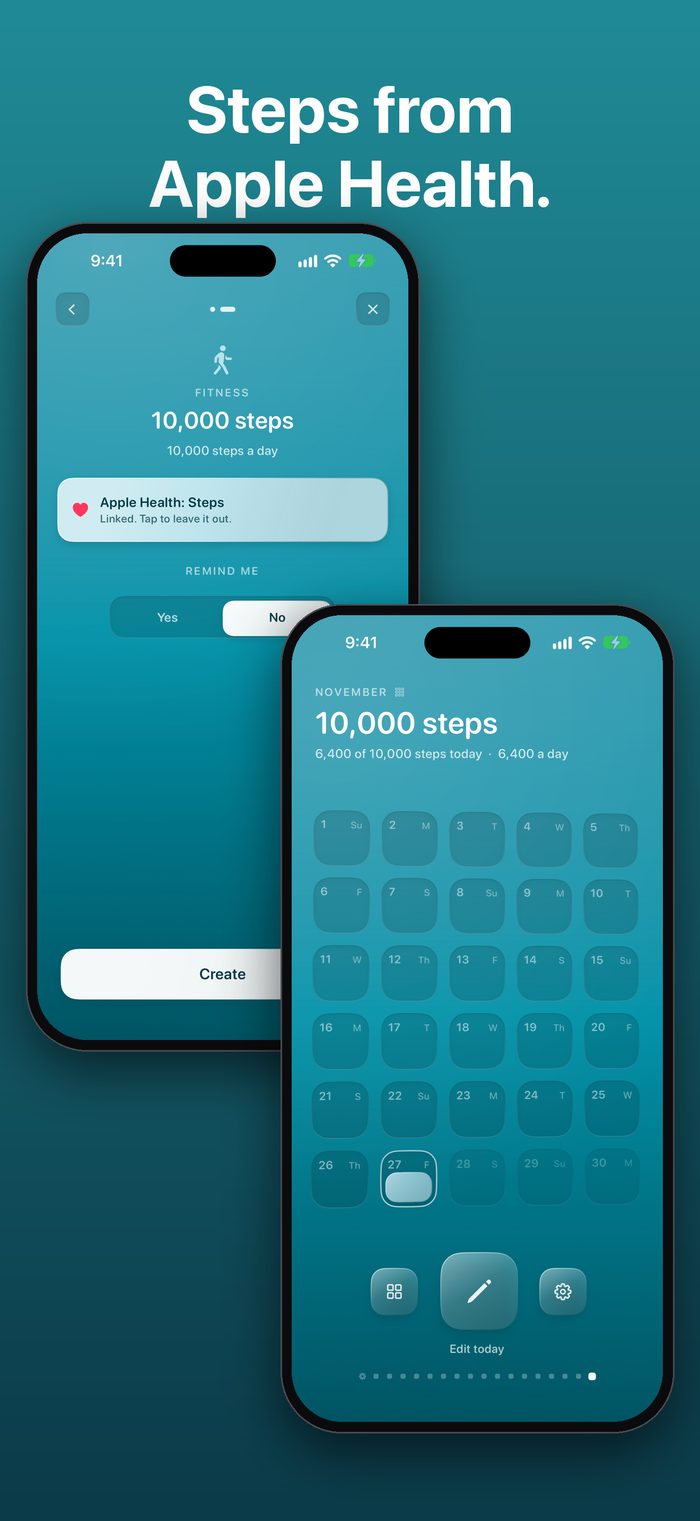
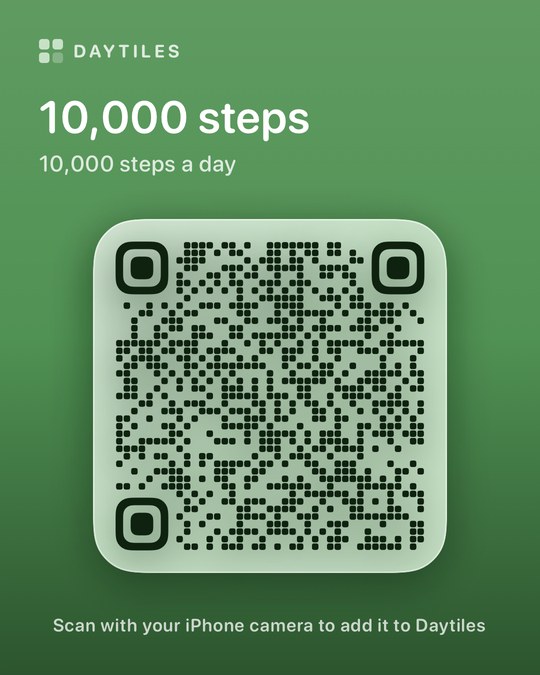
Daytiles has a ready-made 10,000 steps habit. Linked to Apple Health, it fills in your steps by itself, so you never have to log a walk.
- Tap + on home to make a new habit.
- Under Fitness, tap 10,000 steps.
- Check that Apple Health: Steps is on Pro. It is already, so leave it.
- Choose whether you want a reminder, then tap Create. Allow Daytiles to read your steps when Health asks.
From then on, the steps your iPhone and Apple Watch count go to Health, and Daytiles reads them from there. Each day's tile fills as you walk and is done at 10,000.
- Nothing to tap. Since Health fills in the day, tapping the button under the month opens a keypad to edit today's count instead of adding to it. Use it if you walked without your phone.
- From today on. Linking counts steps from the day you link, so your month starts filling in from there.
- Already made the habit? Tap the gear on its page and link it to Apple Health there Pro.
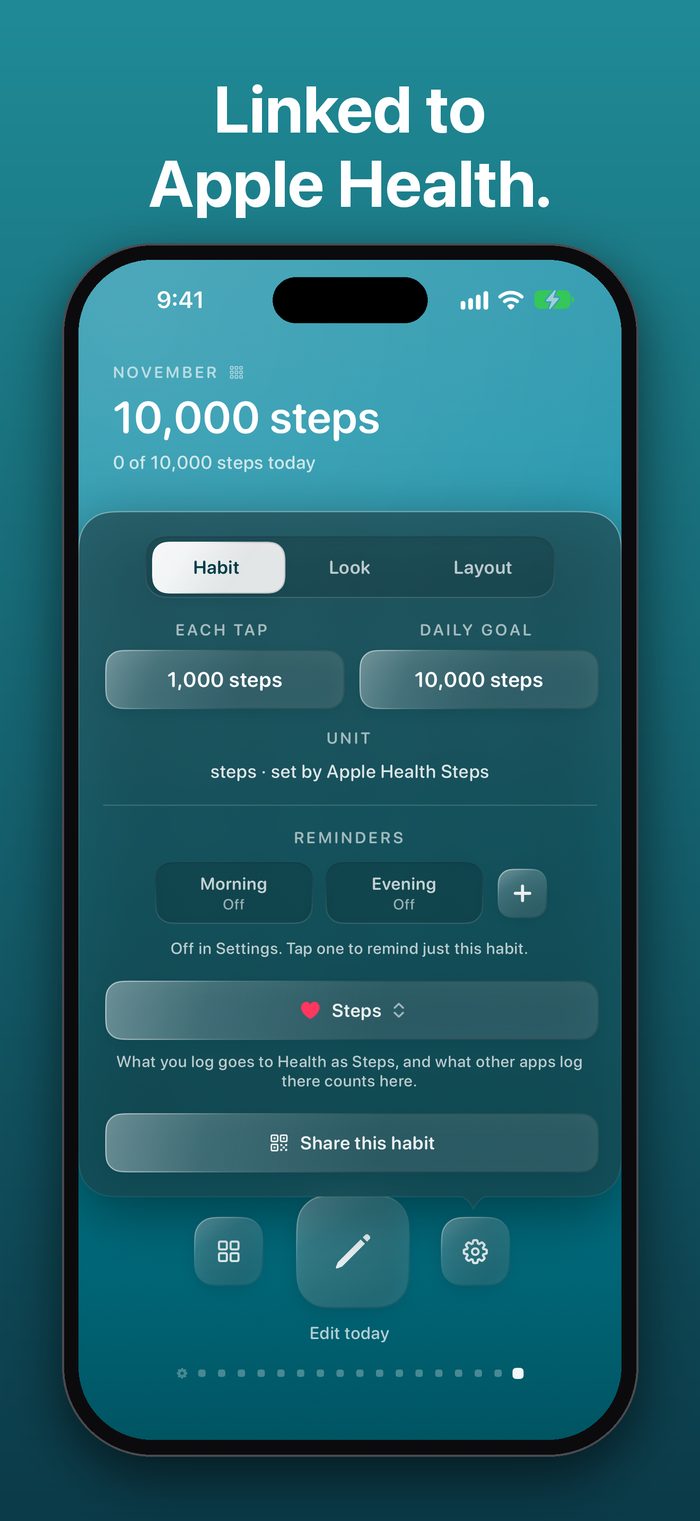
Want a different goal, like 7,000 to start? Tap the gear and change DAILY GOAL. Raise it as you go.
- Widgets. Add the Today widget to your Home Screen and your steps tile fills there through the day, so you can see at a glance how far you have to go. Tapping it opens the app.
- A nudge. An afternoon reminder Pro is a good time to check if you need a walk. It won't come on a day you've already hit your goal.
- Your year. Pinch in on the month to see your year: days done, the share of days, and your best run.
Sources
Updated November 3, 2026. Daytiles is made by Jason, one person. Tell me if something here is wrong.