 Daytiles
How to build a night routine
A night routine tells your body the day is over. It doesn't need to be long. It needs to start at the same time and end with the lights out.
The short version
- Start winding down at the same time every night, about 30 minutes before bed.
- Screens off at least 30 minutes before you sleep.
- Do the same few calm steps in the same order.
- Keep the same bedtime and wake time, weekends too.
Daytiles keeps track of it for you, free on iPhone, iPad and Apple Watch. Get it on the App Store.
Pick a bedtime and work back
Start with when you need to get up. The CDC says adults up to 60 need seven or more hours of sleep a night, and you'll be in bed a bit longer than you sleep. Up at 6:30 means asleep by about 11:00, so in bed by 10:45 and winding down from 10:15.
That wind-down time is the real start of your routine. Put it in your phone as an alarm if you need to. When it goes off, the evening is over.
Keep the same bedtime and wake time every day, weekends included. The CDC and the Sleep Foundation both say a steady schedule is one of the most useful things you can do for sleep. Staying up two hours later on Friday and Saturday shifts your body clock and makes Sunday night hard.
Screens off first
Phones, tablets, laptops and TV keep your mind busy, and bright light late in the evening holds back melatonin, the hormone that makes you sleepy. The CDC suggests turning devices off at least 30 minutes before bed. An hour is better if you can manage it.
- Make "phone on the charger" the first step of the routine, and put the charger outside the bedroom.
- Set Sleep Focus on iPhone to start at your wind-down time, so notifications go quiet without you thinking about it.
- Dim the lights in the house as you go. Warm, low lamps are better than bright overhead lights.
A few calm steps, in the same order
The routine works because it's the same every night. Done often enough, the first step becomes a signal that bed is coming. Keep it to things that are quiet and a little dull:
- Set out tomorrow's clothes and bag. It clears your head and speeds up the morning.
- Wash your face and brush your teeth.
- Take any evening medicine your doctor has prescribed, at the time they told you.
- Write down anything on your mind, or tomorrow's to-do list, so you don't lie there going over it.
- Read a paper book, stretch gently, or listen to something calm.
The Sleep Foundation suggests about 30 minutes for winding down. Thirty minutes is enough. If your routine takes an hour, it'll be the first thing you drop on a late night.
Make the bedroom easy to sleep in
The CDC suggests a bedroom that's quiet, relaxing and cool. Small fixes go a long way:
- Blackout curtains or an eye mask if streetlights or early sun get in.
- Earplugs or a fan if noise wakes you.
- Keep work, bills and the laptop out of the bed.
What you do earlier in the day counts too. Caffeine late in the afternoon or evening can keep you up, and a big meal or alcohol close to bedtime makes sleep worse.
If you can't sleep
Lying awake for ages trains you to be awake in bed. If you've been there a long while and feel wide awake, get up, go somewhere dim, and do something quiet until you feel sleepy. Keep your wake time the same the next morning, even after a bad night, so the next bedtime comes easier.
If you often can't sleep, snore loudly, or feel tired however long you sleep, talk to your doctor. Sleep problems are common and can be treated.
Set it up in Daytiles
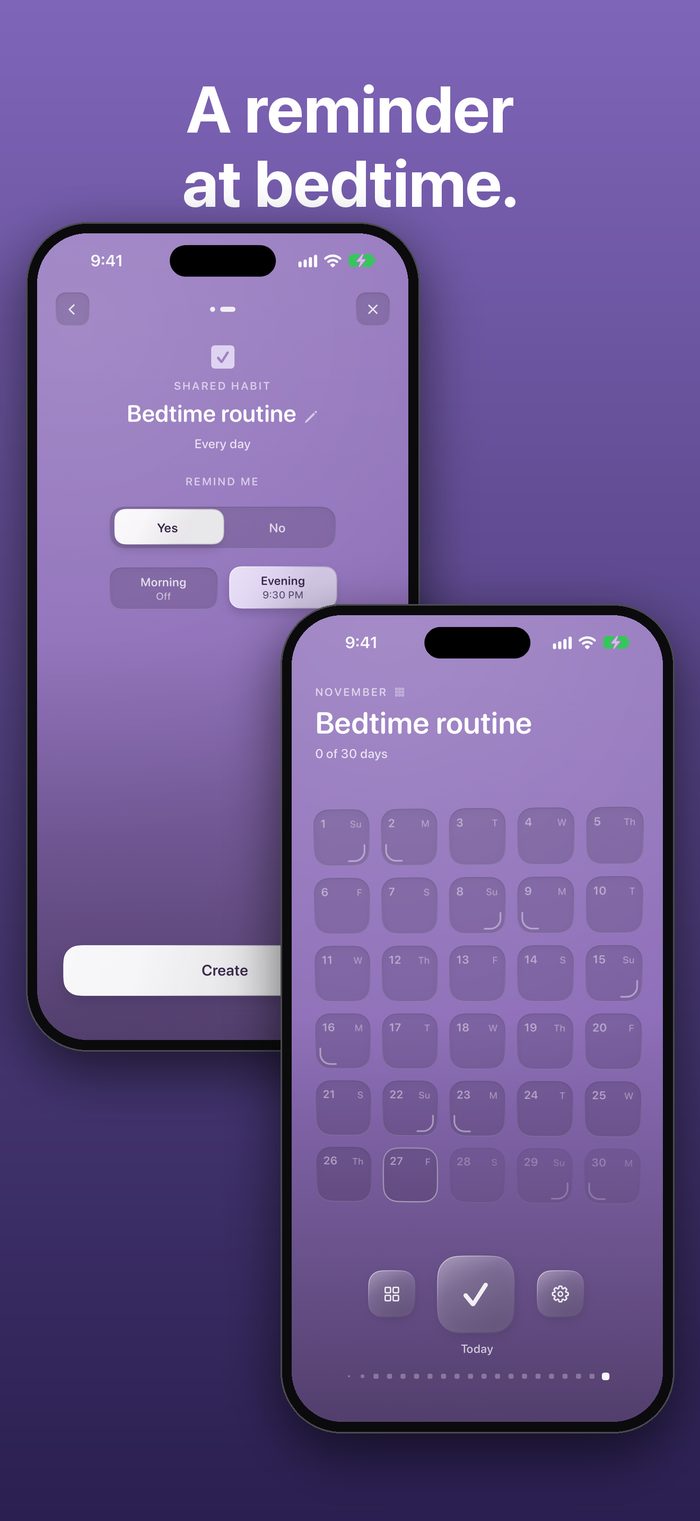
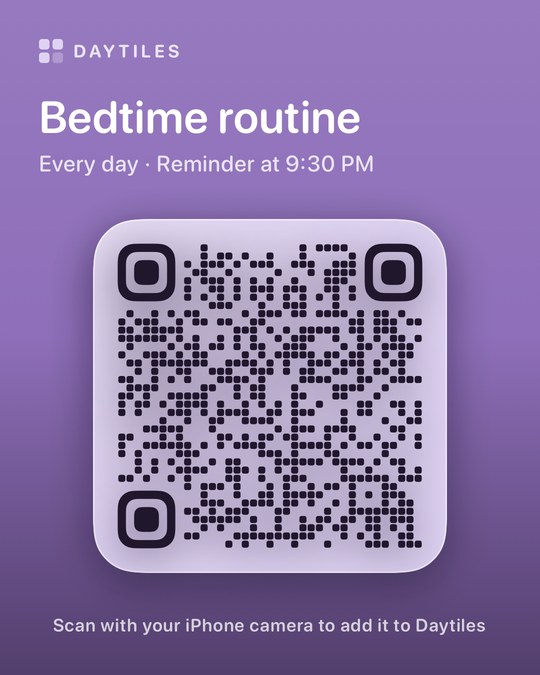
Make one habit for the whole routine and check it off as you get into bed. A reminder at 9:30 PM tells you it's time to start.
The quickest way is the code on this page. Scan it with your iPhone camera, or tap it on your iPhone, and Daytiles opens with the habit set up, ready to add.
- Tap + on home to make a new habit, then tap Make your own.
- For "What do you want to do?", type Bedtime routine.
- For "What's the goal?", choose Once per day.
- For "Which days?", choose Every day.
- Pick a color you like.
- When it asks about reminders, tap Yes, tap Evening, and set it to 9:30 PM Pro.
- Tap Create.
Tap the big button under the month when you're done for the night. Each night you do it lights a tile.
- The reminder. The code brings the 9:30 PM time with it Pro. Without Pro, the habit comes with your evening reminder from Settings, which starts at 7:00 PM and is the same time for all your habits. Change that time in Settings if 7:00 is too early to wind down.
- From the reminder itself. A reminder for one habit has Done and Remind me in an hour buttons, so you can check it off without opening the app.
- Pick your time to match your bedtime. Set the reminder about 30 minutes before you want to be in bed. Change it any time in the habit's settings: tap the gear Pro.
- Late nights happen. Touch and hold today's button to skip today. Skipped days don't break your streak. Traveling across time zones? In Settings, tap Pause, and paused days don't count against you.
- Widgets and Apple Watch. Tap the habit in the Today widget or on your Watch to check it off without picking up your phone and getting pulled in.
Pair it with a Wake up early habit to see both ends of your sleep. Daytiles is free for up to three habits, and Pro makes room for as many as you like.
Sources
Updated November 3, 2026. Daytiles is made by Jason, one person. Tell me if something here is wrong.