 Daytiles
How to remember to drink water
Most people who don't drink enough water aren't against it. They just forget until they're thirsty. A few small changes put water in front of you at the right moments.
The short version
- Keep a full bottle where you can see it, and refill it at set times.
- Tie a glass to things you already do: waking up, each meal, each break.
- If plain water bores you, flavor it, chill it, or make it sparkling. Other drinks and watery foods count too.
- How much you need depends on you. Pale yellow pee is a good everyday sign.
Daytiles keeps track of it for you, free on iPhone, iPad and Apple Watch. Get it on the App Store.
How much water do you need?
There's no single number that fits everyone. The old "eight glasses a day" rule is easy to remember, but it's only a rough guide. What you need depends on your size, how active you are, the weather, and your health. You need more when it's hot, when you exercise, when you're ill with a fever, vomiting or diarrhea, and when you're pregnant or breastfeeding.
The NHS suggests 6 to 8 cups or glasses of fluid a day for most people, and says water, lower-fat milk and lower-sugar drinks, including tea and coffee, all count. Food adds water too, especially fruit, vegetables and soup.
A simple check: if your pee is pale yellow, you're probably drinking enough. Dark yellow, a dry mouth or feeling thirsty most of the day are signs to drink more.
If you have kidney disease, heart failure or another condition where your doctor limits fluids, follow their advice rather than a general target. Ask your doctor before drinking a lot more than you do now.
Make water the easy choice
The biggest reason people forget is that water isn't there when the thought would come. Fix that first.
- Keep a bottle in sight. On your desk, in the car, next to the couch. If you have to get up and find a glass, you'll put it off.
- Pick a bottle you like. One that keeps water cold, or has a straw, or holds a known amount. If you know your bottle holds 24 oz, three refills is a clear goal.
- Fill it before you need it. Fill a bottle at night and leave it by the bed or in the fridge, so the first drink of the day is already poured.
- Mark the time. Some people draw lines on the bottle for 10 a.m., noon, 3 p.m. and so on. It turns "drink more" into "get to the next line".
Tie it to things you already do
New habits stick better when they ride along with old ones. You already do plenty of things every day without thinking. Attach a glass of water to a few of them:
- A glass when you wake up, before coffee.
- A glass with every meal.
- A few sips each time you come back to your desk, or every time you refill your coffee.
- A glass after you brush your teeth at night, or when you get home from work.
Be specific. "Drink more water" is easy to forget. "Drink a glass of water when I sit down to lunch" gives you a moment to remember it.
Drink more through the day
Trying to make up the whole day's water in the evening means a lot of drinking at once and trips to the bathroom at night. Spreading it out is easier.
- Front-load it. Aim to have most of your water by mid-afternoon, then taper off.
- Count small amounts. A glass at a time is easier to keep track of than a vague total.
- Drink before you're thirsty in the heat or at the gym. Take water with you rather than counting on finding some.
- Use a reminder. A nudge on your phone at times you usually forget, like mid-morning and mid-afternoon, works better than trying to remember on your own.
If you don't like water
Plenty of people find plain water dull. You don't have to love it to drink enough.
- Change the temperature. Many people who dislike water like it ice cold. Others prefer it warm.
- Add flavor. A slice of lemon, lime, cucumber, a few berries or a sprig of mint. Leave a jug in the fridge so it's ready.
- Try sparkling water. Unsweetened sparkling water counts the same as still.
- Drink tea. Herbal and fruit teas, hot or iced, are mostly water.
- Eat your water. Watermelon, oranges, cucumber, tomatoes, soup and yogurt all help.
Go easy on juice, soda and sweetened drinks. They count as fluid, but the sugar adds up fast. Diluting juice with water or sparkling water is a good middle ground.
Track it, at least for a while
It's easy to think you drink more than you do. Logging each glass for a couple of weeks shows you where the gaps are, like the long stretch between lunch and dinner. Once a glass at each of those moments is automatic, you may not need to count closely any more.
Set it up in Daytiles
Daytiles has a ready-made Drink water habit that adds up how much you drink each day. Each tap adds a glass, and the day's tile fills as you go.
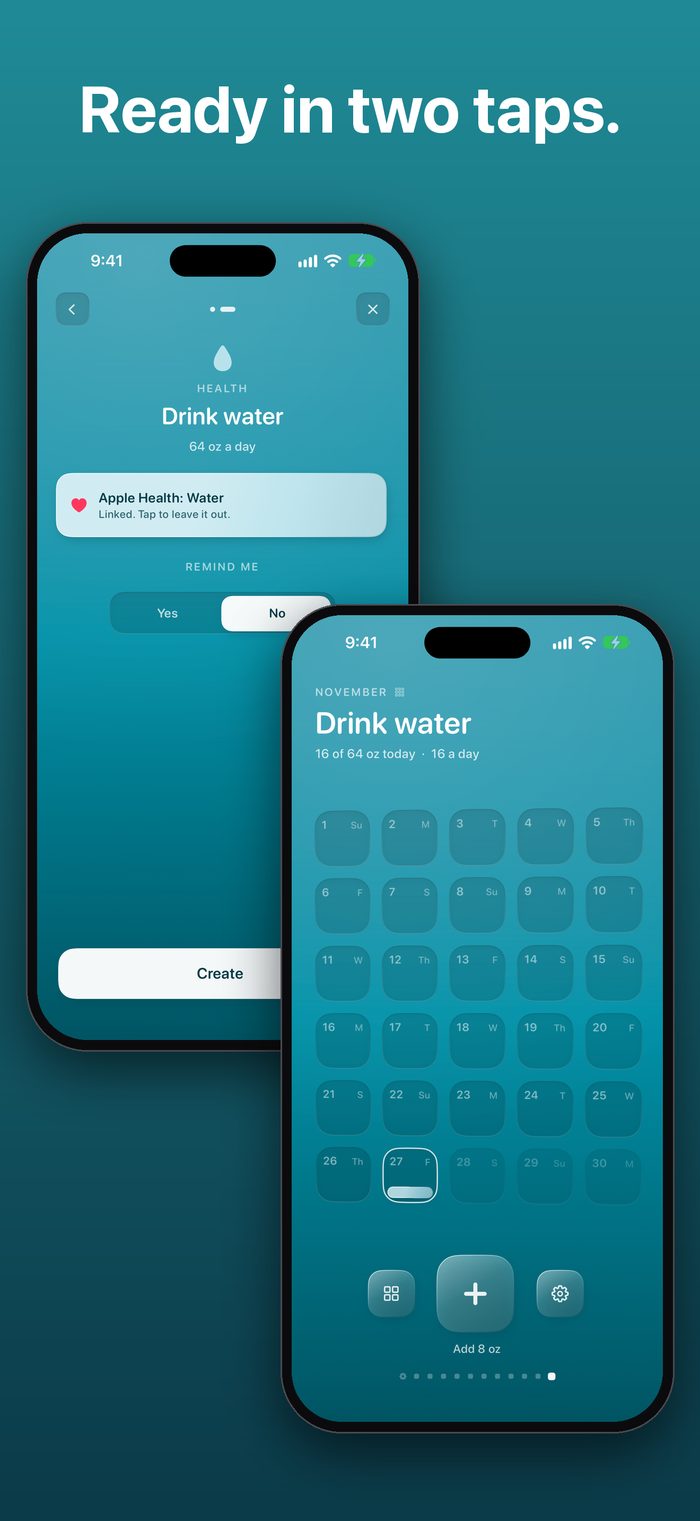
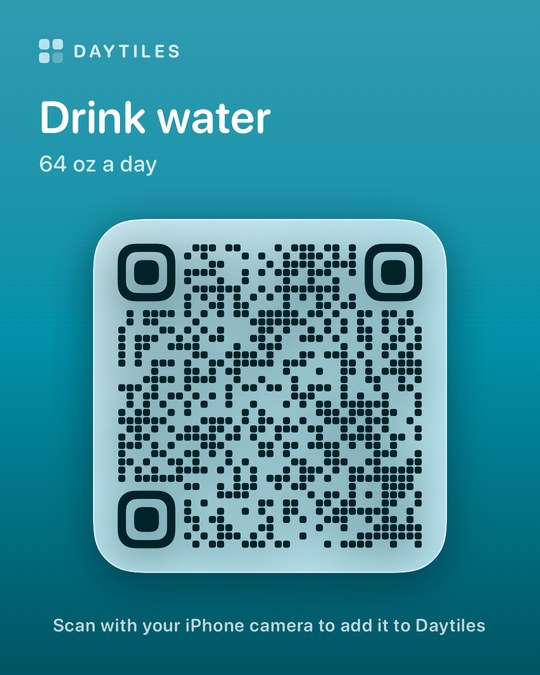
- Tap + on home to make a new habit.
- Under Health, tap Drink water.
- Look it over. It asks for 64 oz a day (2,000 ml outside the US). Apple Health: Water is already on Pro.
- Under Remind me, tap Yes, then tap Morning or Evening to turn each on and set its time Pro.
- Tap Create.
On its page, tap + each time you drink. Each tap adds 8 oz (250 ml outside the US), and the day is done when you reach your goal.
- Make it fit you. Tap the gear on the habit's page to change the daily goal and how much each tap adds. If your bottle holds 24 oz, set each tap to 24.
- Fix a total. Touch and hold + for a keypad to set today's amount, or to take some away if you tapped once too often. Tap a past day to set what you drank then.
- Reminders stop once you're done. When you hit your goal, the habit drops out of the rest of today's reminders.
- More times in the day. Water is easy to forget between meals, so add up to two more reminder times for just this habit Pro.
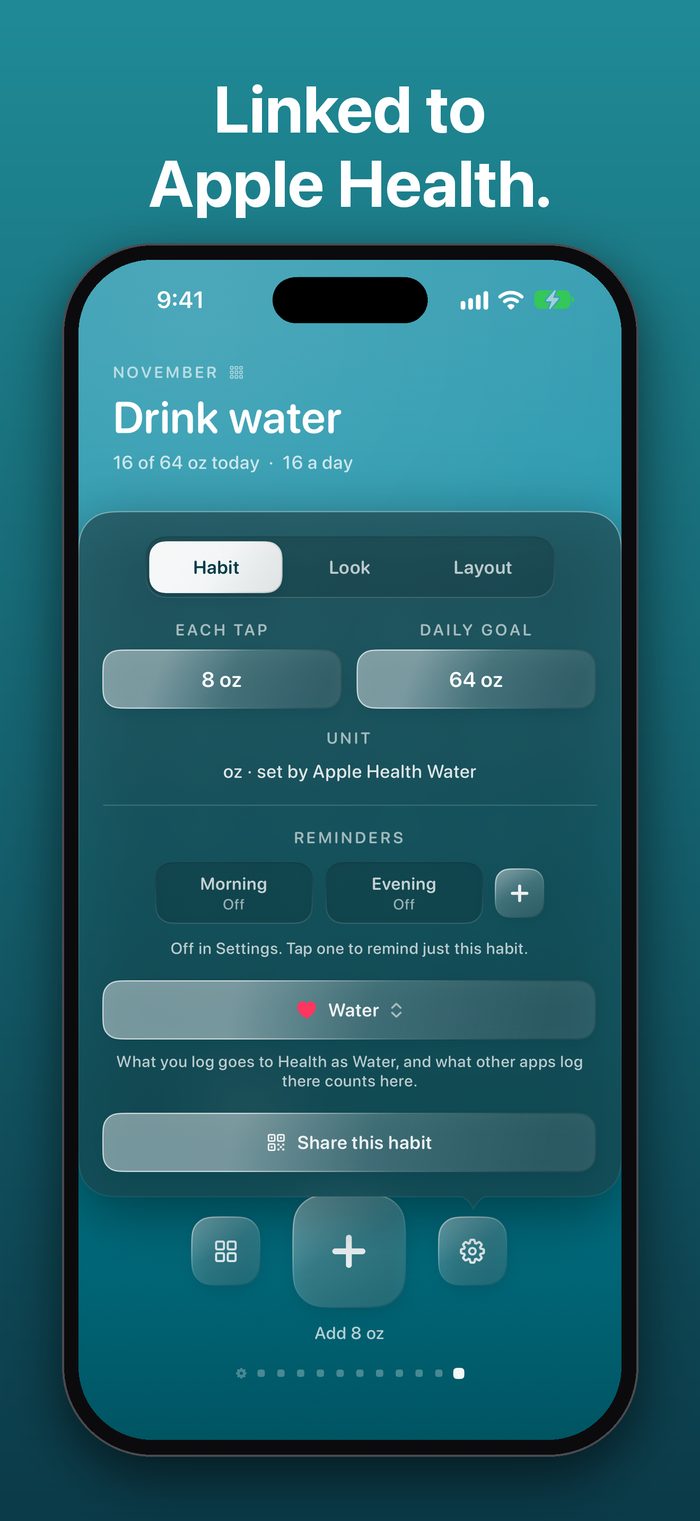
Apple Health. With Water linked Pro, every glass you add goes into Apple Health, and water you log in other apps is added to your day in Daytiles. You can link it later too: tap the gear, then Apple Health. Linking counts from today on, with a button to bring in earlier days.
Log it without opening the app. Add the Daytiles widget to your Home Screen and tap the Drink water tile to add a glass. Lock Screen widgets work the same way. You can also say "Add to Drink water in Daytiles" to Siri, or use the Apple Watch app once iCloud sync is on in Daytiles' Settings.
Sources
Updated November 3, 2026. Daytiles is made by Jason, one person. Tell me if something here is wrong.