 Daytiles
How to stop spending money
Most overspending isn't one big purchase. It's lots of small, easy ones: a tap here, a delivery there, a sale email at the right moment. Make spending slower and saving automatic, and the money starts to stay put.
The short version
- Aim for a few no-spend days a week, buying nothing beyond the bills and basics you planned.
- Wait 24 hours before buying anything you didn't plan to.
- Delete saved cards from shopping sites and apps, and unsubscribe from store emails.
- Move money to savings automatically on payday, before you can spend it.
Daytiles keeps track of it for you, free on iPhone, iPad and Apple Watch. Get it on the App Store.
See where it goes
Before you cut anything, find out where your money actually goes. Look at your last month of bank and card statements and sort the spending into a few groups: bills, groceries, eating out, delivery, shopping, subscriptions. Most people find one or two groups that are much bigger than they thought.
The US Consumer Financial Protection Bureau (CFPB) has a free spending tracker for this. As its guide to building savings puts it, once you're actively tracking your spending, you start to see where you can change it.
Try no-spend days
A no-spend day is a day you buy nothing beyond what you'd already planned, like rent, bills and the weekly groceries. No coffee out, no takeout, no "just this one thing" online. It's simple to keep, because the answer is always no, and it breaks the habit of spending a little every day without noticing.
- Start with a few a week. Four is a good place to start: enough to notice the difference, not so many that you give up.
- Plan for them. Bring lunch, make coffee at home, have food in the house for dinner. Lunchtime and an empty fridge at 7 PM are the usual weak spots.
- Decide what counts in advance. Bills and planned groceries don't break a no-spend day. Gas you need to get to work probably doesn't either. Write down your rule.
- Pick the easy days first. Days you're at home or have a set routine are easier than days out with friends.
Slow down every purchase
One-tap buying is designed to get you past the moment where you'd think twice. Put that moment back.
- Use a 24-hour rule. If you didn't plan to buy it, put it in the cart or on a list and wait a day. If you still want it tomorrow, and it fits your budget, buy it. Often you won't remember it.
- Delete saved cards. Remove your card from shopping sites, delivery apps and your browser's autofill. Typing in the number each time is a small hurdle, and sometimes that's enough to make you stop.
- Unsubscribe from store emails and texts. Sale emails are built to make you buy things you weren't looking for. Use the unsubscribe link at the bottom of each one, and turn off shopping app notifications.
- Delete the shopping apps you use most. You can still buy from the website when you really need something.
- Leave cards at home. For a day out, take a set amount of cash or one card with a low limit.
Make saving automatic
Saving whatever is left at the end of the month rarely works, because there's rarely anything left. Flip it around. The CFPB calls automatic, recurring transfers one of the easiest ways to save consistently.
- Set up a transfer on payday. Move a fixed amount from checking to savings the day you're paid, so it's gone before you can spend it. Start small if money is tight; you can raise it later.
- Watch your balance. The CFPB also says to keep an eye on your checking balance so an automatic transfer doesn't cause an overdraft.
- Give it a goal. A specific goal, like an emergency fund or a trip, helps you stay motivated. Name the savings account after it if your bank lets you.
- Save what you didn't spend. On a no-spend day, move what you'd normally have spent, even a few dollars, into savings.
Cut what you don't use
Go through your subscriptions: streaming, apps, memberships, delivery passes, boxes. Cancel the ones you haven't used in the past month. You can always sign up again.
If you have a spending day
A big weekend or a bad day with the credit card doesn't undo the weeks of good days. Look at what set it off, like a sale email, boredom, a stressful day or shopping with friends, and plan for it. Then get back to your no-spend days.
This is general guidance, not financial advice. If you're behind on bills or in debt, a nonprofit credit counselor or your bank can help you make a plan. If spending feels out of your control, or it's tied to gambling, talking to your doctor or a counselor can help too.
Set it up in Daytiles
Make a habit for your no-spend days and check one off each day you don't spend. With a goal of four days a week, you can pick the days as you go.
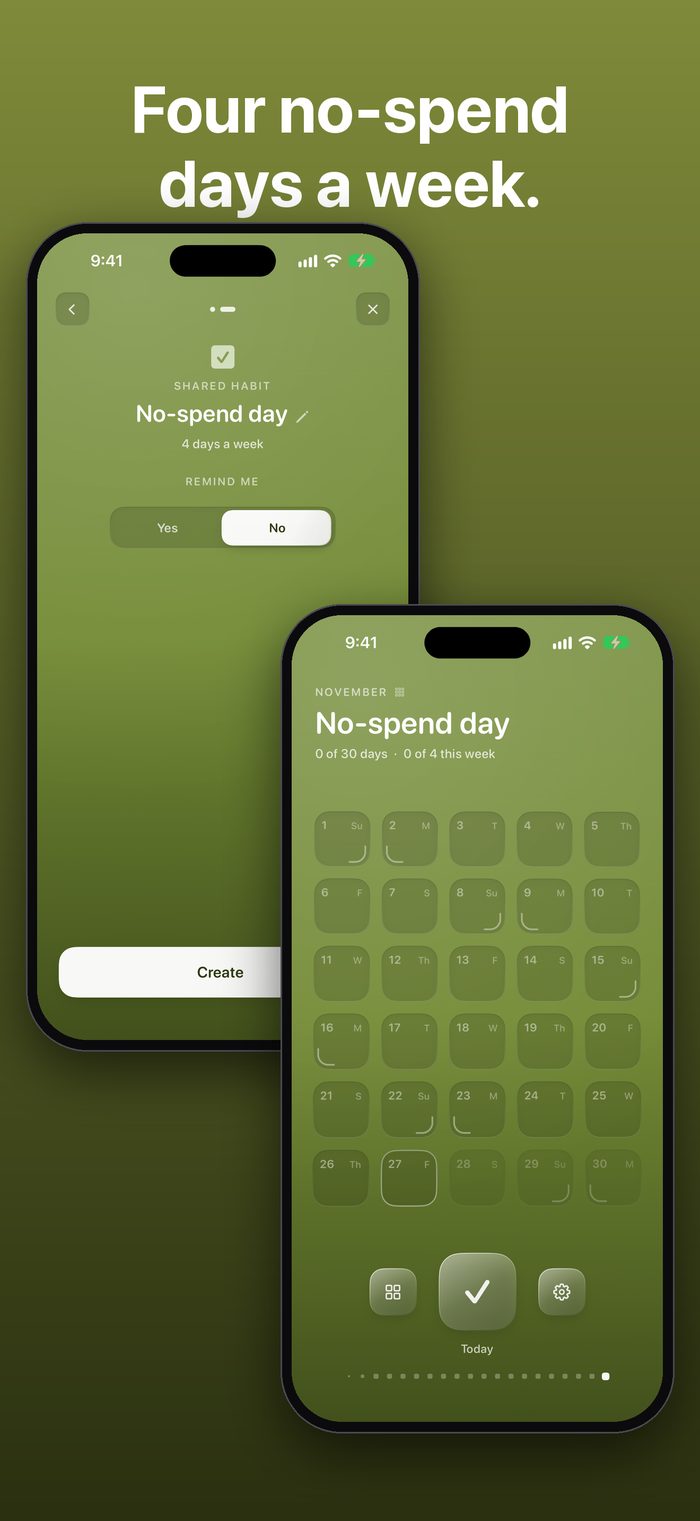
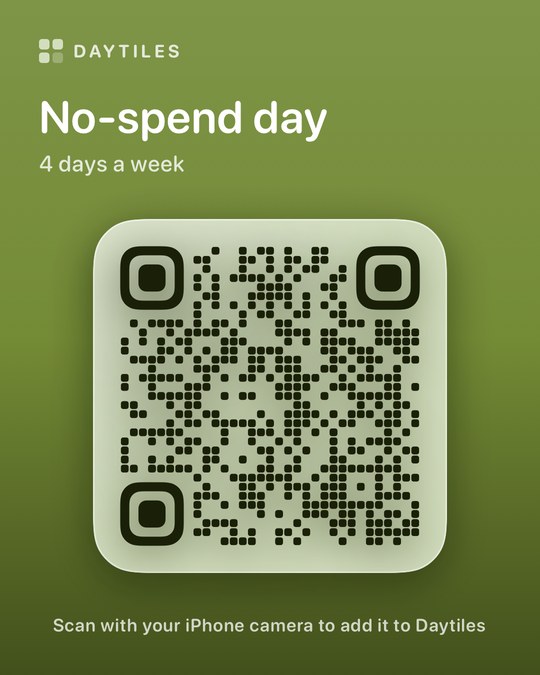
The quickest way is the code on this page. Scan it with your iPhone camera (or tap it on an iPhone) and Daytiles opens with No-spend day set up, ready to add.
- Tap + on home to make a new habit, then tap Make your own.
- For "What do you want to do?", type No-spend day.
- For "What's the goal?", choose Once per day.
- For "Which days?", choose Some days a week, then tap 4.
- Pick a color you like.
- When it asks about reminders, tap No.
- Tap Create.
At the end of a day you didn't spend, tap the big button under the month to check it off. Each one lights a tile.
- Four a week, any four. The page shows how many you have this week, like "2 of 4 this week". Once four are done, it says "week done" and the week's goal is met. The rest of the week is free, and that gets a celebration.
- Forgot to check one off? Tap the day on the month to check it off later. Tap it again to clear it.
- Your year. Pinch in on the month to see every no-spend day this year, the share of days and your best run.
- Check it off without opening the app. Tap the habit on the Today widget on your Home Screen or a Daytiles widget on your Lock Screen. On Apple Watch, tap its tile (it needs iCloud sync on in Daytiles Settings).
- A nudge at night. If you want one, set your evening reminder in Daytiles Settings to include it. It drops out once you've checked the day off.
Daytiles is free for up to three habits, and Pro makes room for as many as you like.
Sources
Updated November 3, 2026. Daytiles is made by Jason, one person. Tell me if something here is wrong.