 Daytiles
How to start cold showers
You don't have to jump into an icy shower on day one. The easy way in is to finish your normal warm shower with a short blast of cold, and add a little time as you get used to it.
The short version
- Take your usual warm shower, then end it with 30 seconds of cold.
- Breathe slowly through the first few seconds. That's the hardest part.
- Add time a little at a time, only if you want to.
- If you have a heart condition or high blood pressure, check with your doctor first.
Daytiles keeps track of it for you, free on iPhone, iPad and Apple Watch. Get it on the App Store.
Check with your doctor first if you need to
Cold water causes what's called the cold shock response: your breathing speeds up and your heart rate and blood pressure jump. For most healthy people a cold shower is just uncomfortable. For some people, that sudden strain on the heart is a real risk.
Talk to your doctor before starting cold showers if you have a heart condition, high blood pressure, a history of stroke, a lung condition like asthma, or diabetes, if you're pregnant, or if you take medicine for blood pressure. Stop and get out if you feel chest pain, dizziness, confusion or trouble breathing.
Start with a warm shower
The gentlest way in is the one used in the biggest study of cold showers. People took their usual warm shower and turned it to cold for the last 30 seconds. That's the whole first step.
- Shower as usual. Wash with warm water the way you always do.
- Turn it to cold at the end. Count to 30, or hum a short song.
- Step in gradually if you like. Hands and feet first, then legs and arms, then your back, then your chest and face. It's less of a shock than all at once.
- Get out and dry off. Warm up with a towel and clothes right away.
You don't need the coldest setting on day one. Start cool and turn it colder over the following days.
Breathe through the first seconds
The first few seconds are the worst. You'll probably gasp and want to get out. That's the cold shock, and it eases after a moment.
- Breathe out slowly as the cold hits, rather than holding your breath.
- Keep breathing slowly, in through your nose and out through your mouth.
- Don't fight it. Expect it to feel bad for a few seconds, and remember it's only 30.
Build up slowly
Once 30 seconds feels easy, you can add more if you want to, like another 15 seconds each week, up to a minute or a minute and a half. There's no need to go further. In the study, people who did 30 seconds got the same result as people who did 60 or 90, so longer isn't clearly better.
Don't use very long cold exposure as a goal. Staying in cold water too long can bring on hypothermia. Short and regular is the point.
What the research shows
Cold showers get a lot of big claims online. The evidence is much more limited.
The largest study, by Geert Buijze and colleagues in the Netherlands and published in PLOS ONE in 2016, followed 3,018 working adults. They were asked to end a warm shower with 30, 60 or 90 seconds of cold every day for 30 days, while a control group showered as usual. The people taking cold showers reported 29% fewer days off work sick. But they didn't report fewer days of being ill: they were sick about as often, and kept working more of those days. Everything was self-reported, and the people in it weren't blinded to which group they were in. People with serious heart or lung disease were left out of the study.
Many people in the study said they felt more energetic. That's what they said, not something the study measured. Doctors writing about cold plunges for the Minneapolis Heart Institute Foundation and Atrius Health describe the evidence for health benefits as minimal or still emerging. So try it because you like how it feels, not because of a promise.
Make it a habit
- Tie it to your shower. It's already a daily habit in a fixed place. The cold part just becomes how your shower ends.
- Decide before you get in. Choosing in the moment, while warm, is when you'll talk yourself out of it.
- Mornings suit a lot of people. It's a quick wake-up, and it's done before the day gets busy.
- Keep it short on hard days. Ten seconds still counts.
Set it up in Daytiles
A Cold shower habit in Daytiles is a once-a-day check-off. It has no reminder, since your shower is the reminder.
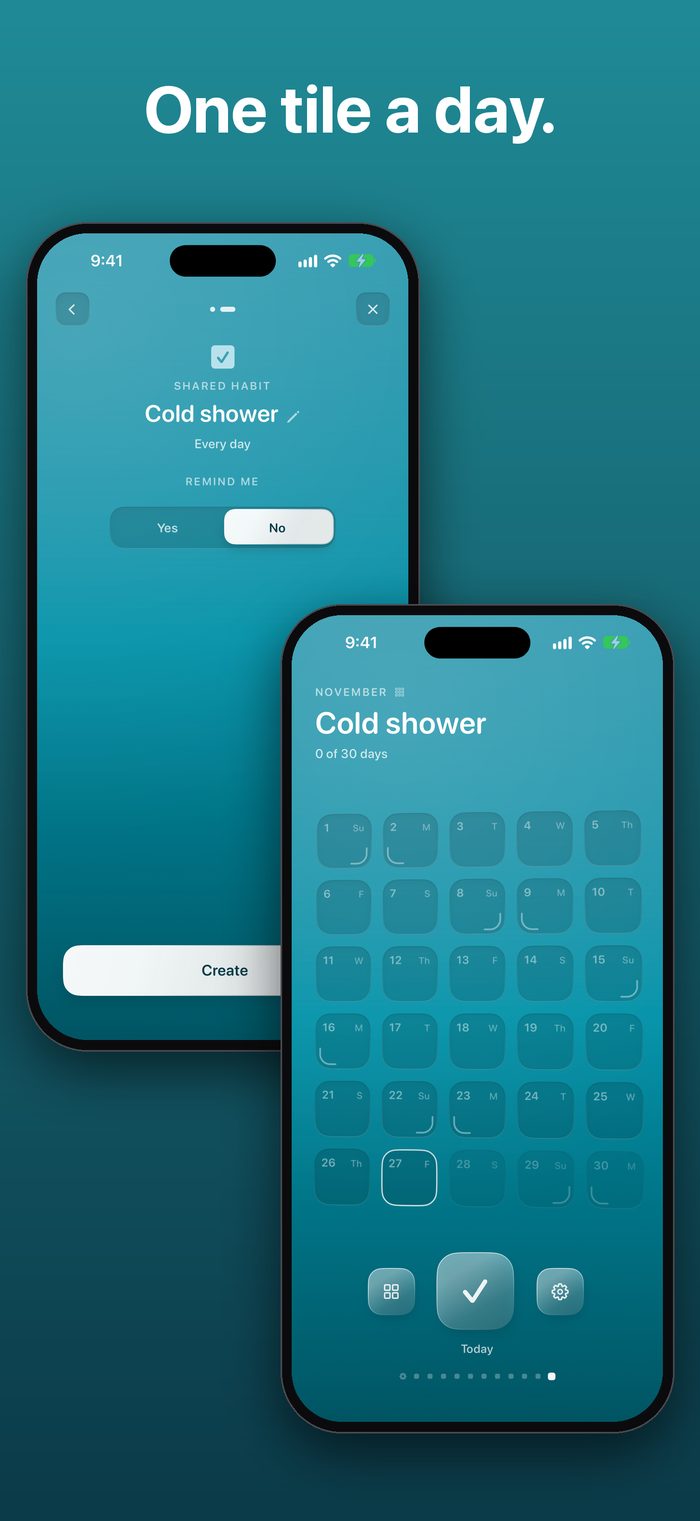
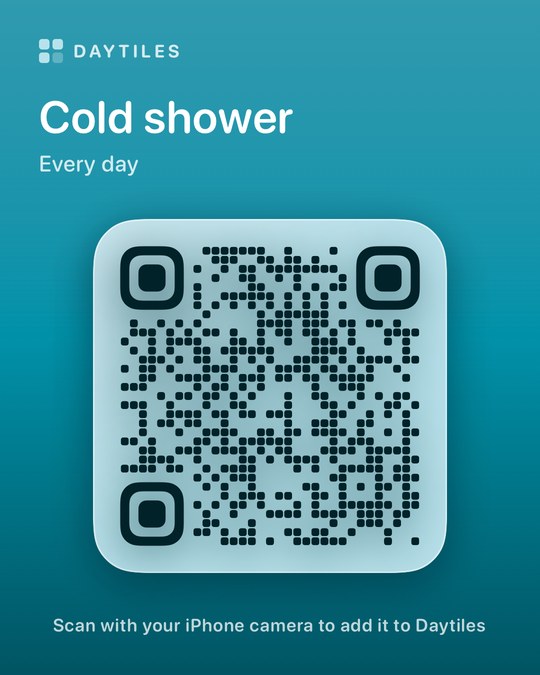
The quickest way is the code on this page. Scan it with your iPhone camera (or tap it on an iPhone) and Daytiles opens with Cold shower set up, ready to add.
- Tap + on home to make a new habit, then tap Make your own.
- For "What do you want to do?", type Cold shower.
- For "What's the goal?", choose Once per day.
- For "Which days?", choose Every day.
- Pick a color you like.
- For "Do you want to be reminded?", tap No.
- Tap Create.
After your shower, tap the big button under the month and the day's tile lights up.
- Forgot to check it off? Tap a past day to check it off or clear it.
- Feeling unwell? Touch and hold today's button to skip today. A skipped day doesn't break your streak.
- Only some days? Tap the gear on the habit's page and change its days, like weekdays only. Days off the schedule never count against you.
- Want a nudge after all? Tap the gear on its page and turn one on under REMINDERS.
Check it off from the Today widget, your Apple Watch (with iCloud sync on in Daytiles' Settings), or by saying "Check off Cold shower in Daytiles" to Siri. Pinch in on the month to see your year, with your days done and your best run.
Sources
Updated November 3, 2026. Daytiles is made by Jason, one person. Tell me if something here is wrong.